
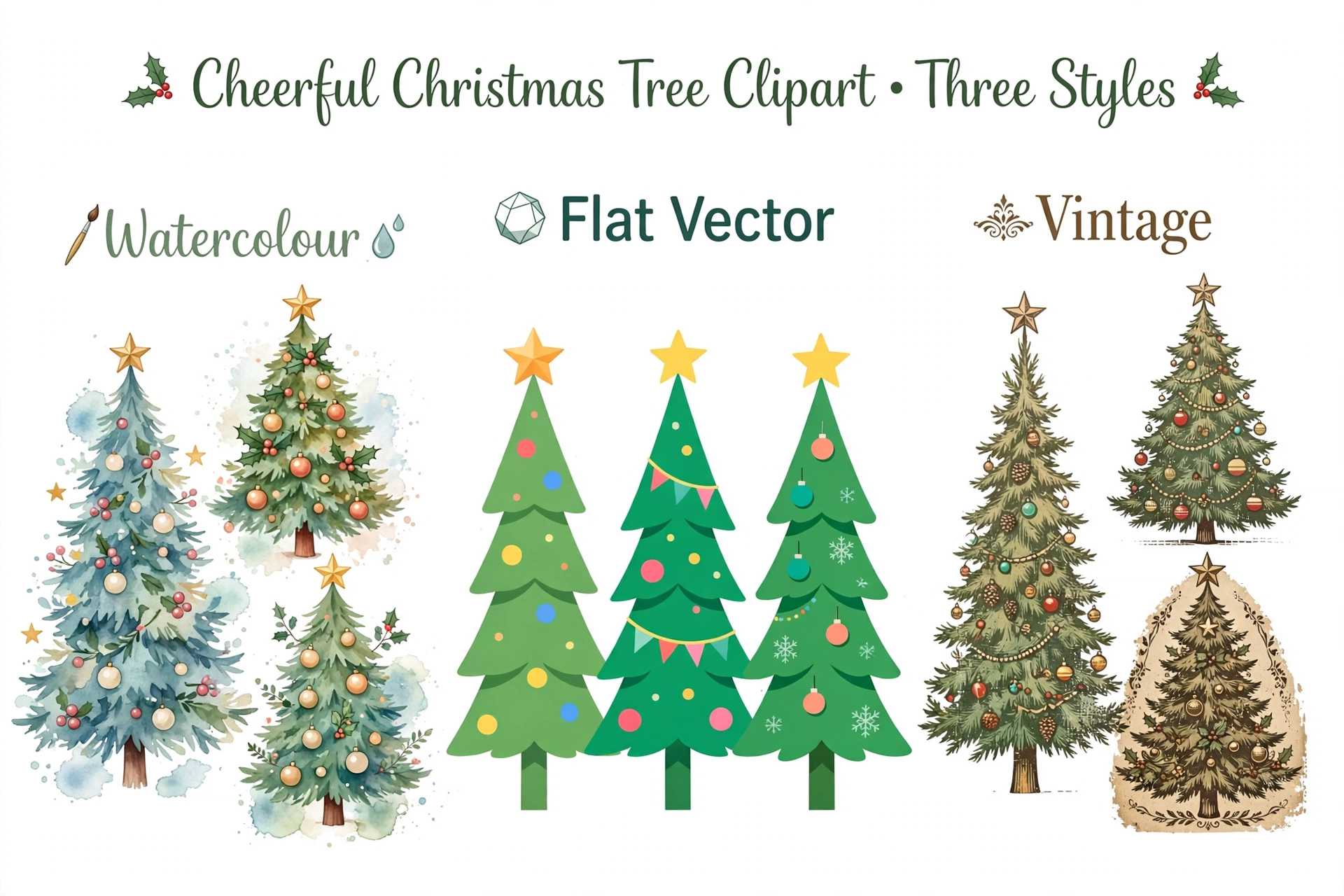
From handmade cards to classroom displays to social media posts, a good piece of christmas tree clipart does a lot of work for very little effort. But not all clipart is equal: styles range from watercolour to flat vector to vintage, formats range from PNG to SVG, and licences range from free-for-anything to strictly personal use. This guide explains the styles, where to find free clipart safely, how to use it well, and how to make your own.
- Christmas tree clipart comes in four main styles: watercolour, flat vector, vintage, and cute/cartoon — pick the style that matches your project.
- PNG with a transparent background is the most useful format for cards and crafts; SVG is best if you need to resize without losing quality.
- Free sources include Pixabay, OpenClipart, Freepik (with attribution) and Canva — always check the licence before commercial use.
- Keep it simple: one tree, plenty of white space, and no more than three colours looks more professional than a busy design.
- You can make your own clipart by photographing a real tree and tracing it, or by drawing one in a free tool like Inkscape.
Christmas Tree Clipart Styles Explained
Watercolour clipart is soft, hand-painted and slightly imperfect — ideal for elegant cards, invitations and gift tags, where a gentle, artistic feel matters. Flat vector clipart is clean, bold and modern, with solid colours and simple shapes; it works best for social media graphics, presentations and children’s materials because it stays crisp at any size. Vintage clipart recreates the look of old Christmas cards and storybooks, with muted colours and fine detail — lovely for traditional or nostalgic projects. And cute or cartoon clipart uses big eyes, smiling faces and bright colours, which children love and which works brilliantly for classroom displays and party decorations.
Choose the style before you start the project, not after: a watercolour tree on a neon party flyer looks wrong, and a cartoon tree on a formal invitation looks sillier than intended. Match the clipart to the mood of the piece and everything else falls into place. If you are decorating a real tree to go with your paper one, our Christmas home decor ideas have plenty of inspiration.
Where to Find Free Christmas Tree Clipart
Pixabay and OpenClipart are the safest free sources — their images are free for personal and most commercial use, with no attribution required. Freepik offers a huge library, but most files need attribution unless you pay for a premium account, so read the licence on each download. Canva includes Christmas tree graphics in its free library, and you can drop them straight into cards, invitations and social posts without downloading anything. Public domain archives such as the New York Public Library’s digital collections also hold beautiful vintage Christmas illustrations that are free to use.
Avoid random image search results: many clipart images online are copyrighted, watermarked, or low resolution, and using them in a product you sell can cause real problems. Stick to the known libraries, and if you find an image you love on Pinterest, trace it back to its source before using it. For classroom and family projects, our Christmas crafts for kids pair beautifully with printed clipart, and our Christmas card ideas show how to turn a simple tree image into a card worth sending.
Best Uses for Christmas Tree Clipart
Clipart earns its keep in dozens of small projects. Print it on card for handmade Christmas cards, gift tags, and place cards for the dinner table. Use it in classroom displays, worksheets, and advent calendars. Drop it into social media posts, email headers, and video-call backgrounds for a quick festive touch. Cut it out with a craft machine such as a Cricut for window decorations, bunting, and scrapbook pages. And use it as a starting point for your own art — trace it, colour it, or combine two styles for something original.
Whatever you make, keep the design simple: one tree, plenty of white space, and no more than three colours. The most common beginner mistake is adding too many elements — a tree, a reindeer, snowflakes, gifts and text all on one small card — which looks busy and amateur. Restraint is what makes a design look professional, whether it is a card or a room.
How to Make Your Own Christmas Tree Clipart
Making your own is easier than it sounds. The simplest method is to photograph your own tree against a plain wall, then use a free tool such as remove.bg to cut out the background, leaving a clean PNG. For a drawn look, sketch a simple triangle-based tree on paper, photograph it, and trace it in a free vector tool like Inkscape — you will have a scalable SVG in under an hour. Or paint a small watercolour tree, scan it at high resolution, and clean up the background in a free editor such as Photopea.
Your own clipart has two advantages over downloaded images: nobody else has it, and you own it outright, so you can use it commercially without worrying about licences. Even a simple hand-drawn tree has more charm than a generic stock image, because it is yours.
Frequently Asked Questions
Where can I get free Christmas tree clipart?
Pixabay and OpenClipart are free with no attribution needed. Freepik is free with attribution on most files, and Canva includes Christmas tree graphics in its free library.
What is the best format for Christmas tree clipart?
PNG with a transparent background is the most useful for cards and crafts. SVG is best when you need to resize the image without losing quality, such as for cutting machines.
Can I use Christmas tree clipart commercially?
It depends on the licence. Pixabay and OpenClipart images are generally fine for commercial use, while Freepik usually requires attribution. Always check the licence on the specific image before selling anything with it.
How do I make Christmas tree clipart transparent?
Use a free background-removal tool such as remove.bg on a photo of a tree, or draw the tree in a vector tool like Inkscape and export it as a PNG with transparency enabled.
What is the difference between clipart and an illustration?
Clipart is a ready-made, reusable graphic designed to be dropped into other projects, while an illustration is usually a one-off piece of art made for a specific purpose. Christmas tree clipart is made to be reused across many projects.