
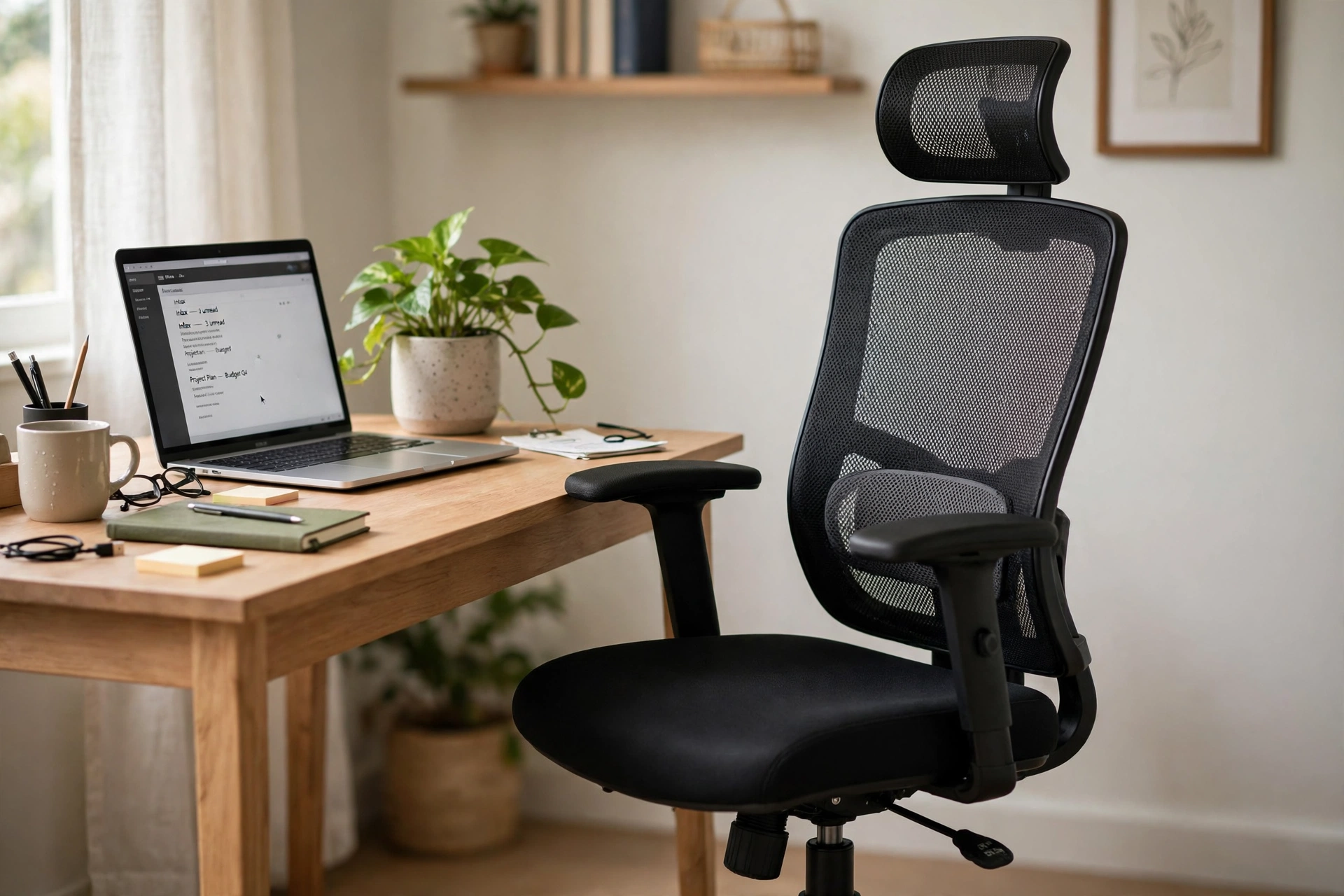
If you work from home, your chair is the most important piece of furniture you own — and the one most people cheap out on. A bad chair means back pain, stiff shoulders, and an afternoon slump; a good one disappears beneath you while you work. The best budget office chairs prove that comfort does not require a $500 price tag. For under $200, you can get adjustable lumbar support, a comfortable seat, and build quality that lasts years. This guide compares the top budget picks, explains what actually matters in a chair, and shows you how to set it up properly.
- The features that matter most: adjustable lumbar support, seat height and depth, armrest adjustability, and a tilt mechanism.
- Mesh backs breathe better and suit warm rooms; padded seats suit longer sessions.
- Top budget picks in 2026: Ticova, Furmax, Hbada, and the IKEA Markus (just above budget, worth it).
- Always check the weight rating and the warranty — a 2-year warranty is the minimum for a daily-use chair.
- Even the best chair needs proper setup: feet flat, screen at eye level, elbows at 90 degrees.
What Makes a Good Budget Office Chair?
Four adjustments separate a good chair from a bad one. First, seat height: your feet should rest flat on the floor with your knees at roughly 90 degrees. Second, lumbar support: the chair should support the natural curve of your lower back, ideally with an adjustable lumbar pad you can move up, down, in, and out. Third, seat depth: you should be able to sit with your back against the backrest and still fit two or three fingers between the seat edge and the back of your knees. Fourth, armrests: they should adjust in height so your shoulders stay relaxed, not hunched.
Beyond adjustments, check the build. A metal base lasts longer than plastic, good casters roll smoothly on your floor type, and the gas lift should be rated for your weight with margin to spare. A chair that wobbles after six months was never a bargain. If you are setting up a home office from scratch, our best decor ideas for home office cover the layout and lighting that make a workspace feel good — the chair is the foundation of all of it.
Best Budget Office Chairs in 2026
The Ticova Ergonomic Office Chair (around $160) is the best all-rounder in this guide. It has adjustable lumbar support, a breathable mesh back, flip-up armrests, and a seat that suits most body types. It is the chair most reviewers recommend when someone asks for comfort under $200. The Furmax High-Back Office Chair (around $90) is the best ultra-budget option: a padded high back, a simple tilt mechanism, and surprisingly good comfort for the price — though the lumbar support is fixed and the armrests are basic.
The Hbada Ergonomic Office Chair (around $120) suits smaller users and tighter spaces, with a compact frame and a mesh back that keeps you cool. Its seat is slightly firmer than the Ticova, which some people prefer for long sessions. The IKEA Markus (around $230) is slightly over a strict budget but worth mentioning: it is the most durable chair in this list, with a 10-year warranty and a high back that supports the whole spine. If your budget stretches, it is the buy-once option. For a complete home office on a budget, pair any of these with a good desk — our 25 home office decor ideas for her show how to make a budget setup look intentional and stylish.
Mesh vs Padded: Which Back Is Better?
Mesh backs breathe. If your room is warm, or you sit for long stretches, a mesh back keeps you cooler and prevents the sweaty-back problem that padded chairs cause. Mesh also conforms to your spine more naturally. The downside is that cheap mesh sags over time and can feel hard against the spine — which is why a good adjustable lumbar pad matters more on a mesh chair than on any other type.
Padded backs feel softer and more traditional, and they suit shorter sessions and cooler rooms. They also hide wear better and look more “office-like” if that matters to you. The best budget chairs in this guide mostly use mesh for the back and padding for the seat — a combination that gives you the cooling of mesh where you need it and the comfort of padding where you sit. If you sit for more than six hours a day, prioritise the seat: a thick, well-shaped seat cushion matters more than anything else in the chair.
How to Set Up Your Office Chair Properly
Buying the chair is only half the job; setting it up is the other half. Start with seat height: adjust it so your feet are flat on the floor and your thighs are roughly parallel to the ground. If your feet dangle, use a footrest. Next, set the lumbar support so it fills the curve of your lower back — it should feel like a gentle hand, not a fist. Then adjust the armrests so your elbows rest at about 90 degrees with your shoulders relaxed.
Finally, check your screen: the top of your monitor should be at or just below eye level, about an arm’s length away. If your screen is too low, you will hunch forward no matter how good the chair is. A monitor stand or a stack of books fixes this in seconds. And build movement into your day: stand up every 30–45 minutes, stretch, and walk around. Even the perfect chair cannot replace movement — the best posture is your next posture. For a workspace that encourages healthy habits, our home office decor ideas include standing-desk setups and layouts that make moving around natural.
What to Avoid When Buying a Budget Chair
Avoid chairs with no lumbar support at all — a flat backrest is the fastest route to back pain. Avoid “gaming” chairs in this price range: they look exciting but usually have poor ergonomics, a bucket seat that forces your shoulders forward, and a build quality that does not survive daily use. Avoid chairs with a weight rating below your body weight, and avoid any chair with a warranty under two years — a manufacturer that will not stand behind its product for two years is telling you something.
Also be realistic about assembly. Most budget chairs take 20–30 minutes to assemble, and a wobbly chair is usually an assembly problem, not a product problem: tighten every bolt, then re-tighten them after a week of use. And keep the box for a fortnight — if the chair does not suit you, returning it is far easier in the original packaging.
Frequently Asked Questions
What is the best budget office chair?
The Ticova Ergonomic Office Chair (around $160) is the best all-rounder under $200, with adjustable lumbar support and a breathable mesh back. The Furmax (around $90) is the best ultra-budget pick, and the IKEA Markus is the best buy-once option if your budget stretches to $230.
How much should I spend on an office chair?
$100–$200 buys a genuinely comfortable, durable chair for home use. Below $70, build quality and ergonomics drop sharply. Above $300, you pay for premium materials and brand rather than a big comfort jump.
Is mesh or leather better for an office chair?
Mesh breathes better and suits warm rooms and long sessions. Leather (or faux leather) looks more traditional and is easier to wipe clean, but it gets hot and sticky in warm weather. For most home offices, mesh is the better choice.
How long should a budget office chair last?
A good budget chair should last 3–5 years of daily use. The gas lift and casters usually wear first. A longer warranty (3+ years) is a good sign of durability.
Do I need a footrest with my office chair?
If your feet do not rest flat on the floor at the correct seat height, yes — a footrest (or a sturdy box) keeps your legs supported and prevents pressure behind the knees.
1 thought on “Best Budget Office Chairs That Are Actually Comfy”