
How to Pack a TV for Movers: A Step-by-Step Guide That Actually Protects the Screen
A flat-screen television is one of the most fragile and expensive items in any move, and it is also one of the most commonly damaged. Thin panels flex, screens scratch, and stands snap when a TV is carried flat, stacked under boxes, or wrapped in a thin blanket and hoped for the best. Whether professional movers are handling the whole house or you are packing the TV yourself before they arrive, knowing how to pack a TV for movers properly is the difference between switching it on in your new living room and filing a damage claim. This guide covers preparation, the right materials, the exact packing steps for wall-mounted and stand-mounted TVs, and the transport rules that keep the panel safe to the last mile.
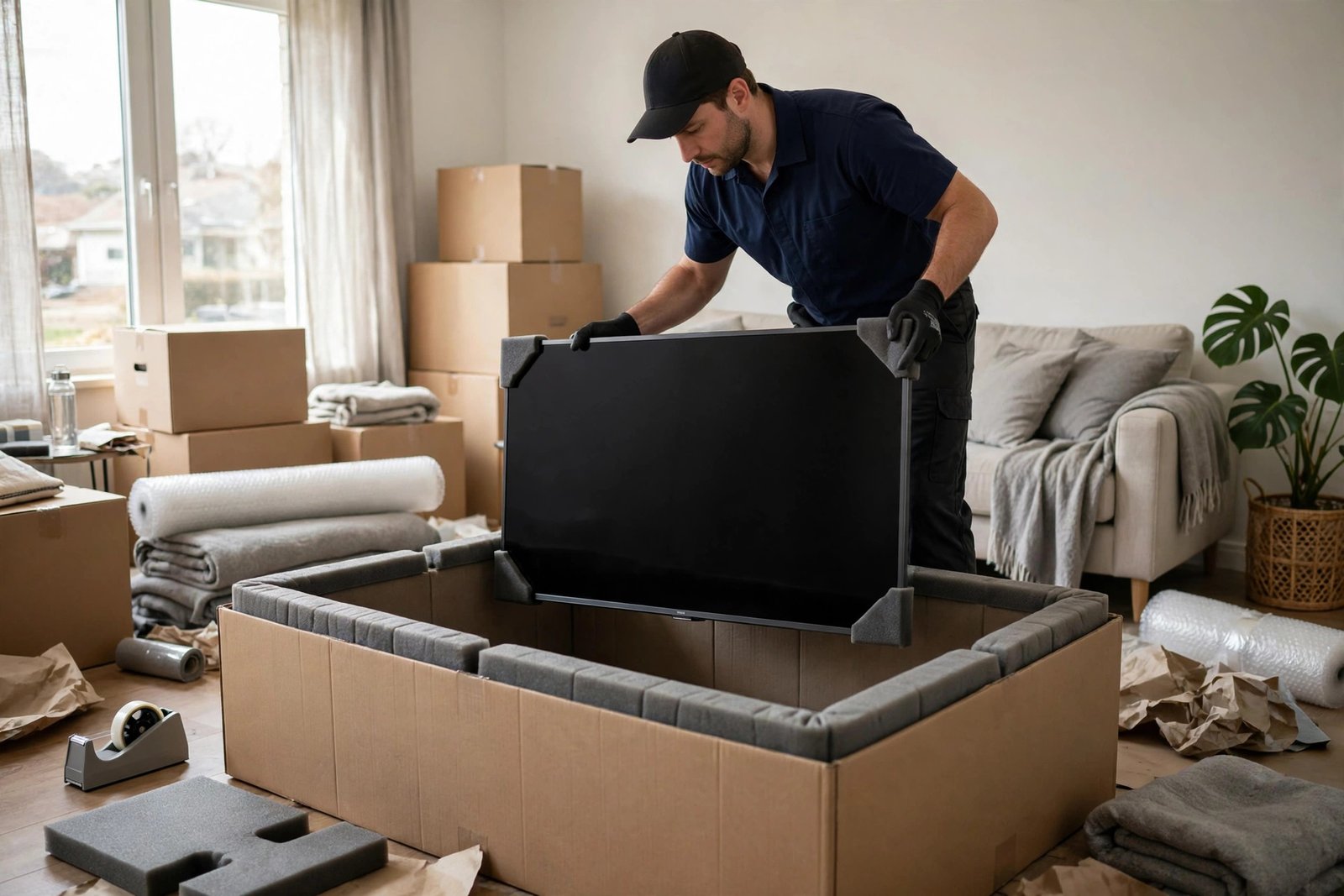
Key Takeaways
- Always transport a flat-screen TV upright, never flat or face-down, to protect the panel from pressure damage.
- The original box is ideal; without it, use a flat-screen TV moving box or a double-walled box built around the TV.
- Cover the screen with a soft, non-abrasive layer first, then add padding, never bubble wrap directly on the screen for long storage.
- Remove the stand and wall-mount brackets, bag the screws, and tape the bag to the TV or its box.
- Photograph the TV working before packing and label the box clearly on both sides.
Before You Pack: Preparation That Prevents Damage
Start by photographing the TV while it is still working, showing the screen on with a clear picture. Photograph the back panel, the serial number label, and any existing scratches. These photos protect you if a claim becomes necessary, and they help you reconnect everything later. Next, unplug all cables and label each one with masking tape: HDMI 1, HDMI 2, power, optical audio, antenna. Coil cables loosely and pack them in a labelled zip bag. If your TV is wall-mounted, have a second person help you lift it off the bracket, since modern large screens are awkward and heavy, and a single-person lift is how screens get cracked against furniture.
Remove the stand if the TV uses one, and unscrew the wall-mount brackets from the back. Put every screw, bolt, and small bracket piece into a zip bag, label it with the TV model, and tape the bag to the inside of the box or to the back of the TV itself with painter’s tape. Keep the remote in the same cable bag or in your essentials box so it does not vanish into a random carton. If you still have the original box and foam inserts, you have the best packing solution available; set it aside and skip the improvised box section below. If you are hiring full-service help, it is worth confirming what the crew will do, since many homeowners first ask whether movers pack for you and what items they pack themselves.
Materials You Will Need
Gather everything before you start, because a half-packed TV sitting on the floor is an accident waiting to happen. You will need a flat-screen TV moving box or a large double-walled cardboard box, a soft moving blanket or a clean microfibre sheet, packing paper or foam sheeting, bubble wrap for outer padding, packing tape, a marker, and painter’s tape. Avoid newspaper for direct screen contact, since newsprint ink can transfer and the paper is mildly abrasive. Avoid packing peanuts, which shift during transport and can press unevenly against the panel. For very large screens, two people and a furniture dolly make the job far safer, and corner protectors made from foam or folded cardboard add valuable protection to the most vulnerable points.
If you cannot find a dedicated TV box, you can build one from two large wardrobe or mirror boxes. Open both boxes flat, tape them together to form a sleeve wider than the TV, and cut the sleeve to the right height. The goal is a snug fit with padding on all sides, not a cavernous box where the TV slides around. A box that is too big is nearly as bad as no box at all, because movement inside the carton causes impact damage. Measure the TV’s height, width, and depth including any remaining bracket nubs, and choose a box that leaves roughly five centimetres of padding space on each side.
Step-by-Step: Packing the TV
Step 1: Protect the screen
Lay a clean moving blanket or microfibre sheet flat on a table or bed. Place the TV face-down gently onto the soft surface, never onto a hard table or bare floor. Cover the screen with a layer of foam sheeting or a soft cloth. This first layer must be non-abrasive; it is the layer that touches the glass or panel, so it matters most. If the TV must wait a while before boxing, keep it face-down on the blanket rather than leaning it against a wall where it can topple.
Step 2: Wrap the whole unit
Fold the blanket around the TV like a parcel, covering the back as well as the screen, and secure it loosely with packing tape or stretch wrap. The wrap should hold the blanket in place without pressing hard into the panel. Next, add a layer of bubble wrap around the outside of the blanket for shock absorption. Note the order: soft layer against the screen, then padding, then bubble wrap on the outside. Bubble wrap placed directly against some screens for extended periods can leave marks, which is why the soft layer always goes first.
Step 3: Add corner and edge protection
Slip foam corner protectors onto all four corners, or fashion them from folded cardboard taped into a V shape. The corners and edges of a flat panel are its weakest points, and most impact damage starts there. Pay special attention to the bottom edge, which bears weight when the TV stands upright, and to any protruding parts such as the power button or input panel.
Step 4: Box it upright
Stand the box upright and slide the wrapped TV in vertically, screen facing the broad side of the box, never face-down or face-up at the bottom. Fill any remaining gaps with crumpled packing paper or foam so the TV cannot shift. The fit should be firm: shake the box gently and if you feel movement, add more paper. Tape the box closed with two strips of packing tape along the top and bottom seams, then reinforce the corners with an extra strip.
Step 5: Label clearly
Write “FRAGILE — TV — THIS SIDE UP” in large letters on both broad sides of the box, and add an upward arrow. Add the room destination, such as “Living Room”, so movers place it correctly without asking. If you have multiple TVs, label each box with its size and room so the right screen ends up in the right place. Photograph the sealed box as a final record.
Loading and Transport Rules
In the moving truck, a TV box always travels upright, wedged between soft items such as mattresses or upholstered furniture, never under heavy boxes. It should never be laid flat, even briefly, because the weight of the panel itself can stress the glass and because anything placed on top presses directly into the screen. It should never ride on top of a tall stack where it can fall during braking. If you are moving the TV in your own car, stand it upright in the back seat or cargo area, secured with a seatbelt or straps, with blankets on both sides so it cannot tip. Avoid leaving a TV in a hot car or truck for hours; extreme heat can damage electronics and warp panels, so load TVs last and unload them first.
For long-distance or storage moves, consider climate-controlled storage. Heat, humidity, and dust degrade electronics over time, and a TV stored face-down in a hot garage for months is a common cause of dead pixels and panel damage. If storage is unavoidable, keep the TV in its box, upright, in a dry indoor space, and do not stack anything on top of the carton. When you arrive, let the TV adjust to room temperature for an hour before switching it on if it has travelled in cold weather, since condensation inside the unit can cause short circuits.
Original boxes with foam inserts are engineered for your exact model. Store them flat in a loft or garage until the next move.
Delicate items need their own method. The same care that protects a screen applies to shades and bulbs; see how to pack lamps for movers before boxing lighting.
Screens over 55 inches should always be lifted by two people. One slip during a solo carry is the most common cause of TV damage.
Unpack the TV early on moving day, inspect it before the movers leave, and test it the same day so any issue can be raised immediately.
What If Movers Are Packing the TV?
Many professional crews pack TVs routinely and carry dedicated flat-screen boxes and blankets. If movers will handle it, confirm in advance whether TV packing is included in your quote or billed separately, and ask what materials they use. You can still help by removing the stand, bagging the screws, photographing the screen, and labelling cables yourself. On moving day, point out the TV early so the crew packs it before the truck fills up, and watch them load it upright. If a crew member tries to lay the TV flat or stack boxes on it, speak up politely on the spot; it is far easier to correct loading than to claim damage later. For households still deciding how much help to hire, the comparison with packing everyday items is useful: packing clothes for moving is forgiving, but electronics are not, so this is the item worth professional care.
Check your coverage before moving day. Standard mover liability may reimburse only a small amount per pound, which is meaningless for a light, expensive TV. Full-value protection or a rider on your home insurance policy offers real coverage. Read the terms, note any requirement to report damage within a set number of days, and keep your pre-move photos until the TV is tested in the new home.
Setting Up in the New Home
Unpack the TV in its destination room, not in the hallway, so it travels the shortest possible distance after unboxing. Inspect the screen and body for cracks, pressure marks, or dents before signing off with the movers. Reattach the stand or wall bracket using the bagged screws, reconnect cables using your labels, and power on to confirm picture and sound. If the picture shows lines, discolouration, or dead patches that were not there before, photograph them immediately and contact the mover or insurer the same day. Keep the box for at least a week in case a return or claim requires repacking.
Wall-mounting in the new home deserves a fresh check rather than reusing old fixings blindly. Wall types differ between homes, and a bracket rated for plasterboard needs different anchors than one for brick. If the new wall is plasterboard, locate studs and use appropriate fixings; never rely on adhesive or lightweight plugs for a large screen. A properly mounted TV not only looks better, it removes the risk of the most expensive moving-day accident of all: a screen pulled off the wall by its own weight.
Frequently Asked Questions
Can I lay a flat-screen TV flat in the car?
Avoid it whenever possible. Laying a TV flat risks pressure damage to the panel, especially if anything rests on top. Transport it upright, secured so it cannot tip, and pad both sides.
Can I use bubble wrap directly on the screen?
Use a soft cloth or foam sheet against the screen first, then bubble wrap over that. Direct bubble wrap contact for long periods can leave marks on some panels.
Do I need to remove the stand?
Yes. The stand adds bulk, creates pressure points, and can snap during transport. Remove it, bag the screws, and pack the stand separately in the same box if space allows.
What if I lost the original box?
Buy a flat-screen TV moving box in the closest size, or build a sleeve from two large boxes. The key is a snug upright fit with padding on all sides and corner protection.
Should I keep the TV box after unpacking?
Keep it for at least a week to cover claims, and longer if you have storage space. Original boxes are valuable for future moves and resale.
Packing a TV for movers comes down to a few non-negotiable rules: protect the screen with a soft layer, pad the corners, box the TV upright, label it clearly, and never stack anything on top. Follow those rules, photograph everything before and after, and your television will arrive ready to hang or stand in its new home, exactly as it left the old one.